Features
Everything you need. Nothing you don't.
Built for DJs who want speed and control, not another cloud platform.
Universal Downloads
Paste a link from YouTube, SoundCloud, Beatport, or 1800+ other sites. Downloads as 320kbps MP3. No API keys needed.
Auto-Organize
Template-based folder organization. Set it once: {artist}/{album}/{title} and every track lands in the right place.
Backup & Restore
Every file mutation is journaled. One click to restore originals. Your library is never at risk.
Smart Search
Search your entire library by title, artist, BPM, key, genre, or any tag. Instant results, even with 50k+ tracks.
Batch Tagging
Edit ID3 tags on dozens of tracks at once. Fix artist names, add genres, normalize capitalization in bulk.
Parallel Downloads
Download up to 16 tracks simultaneously. Adjustable concurrency in settings. Saturate your connection.
Key & BPM Analysis
Automatic Camelot key detection and BPM analysis via libkeyfinder. Only decodes 30 seconds — near-instant results. Color-coded keys in Serato or Rekordbox style.
Global Playback
Persistent transport bar with prev/play/next and scrubber — survives workspace tab switches. Expand any track into a full waveform view with hot cues.
Duplicate Detection
Checksum-based duplicate finder. Merge tags, re-point cues and crates, move redundant copies to backup — all journaled and undoable.
Key Color Coding
Serato-style static key colors (12 fixed Camelot palette) or Rekordbox-style dynamic highlighting — compatible keys glow green against the current track.
Colored Waveform View
Enlarge any track into a low/mid/high frequency-colored waveform — RGB, 3-Band, or Classic Blue. Click anywhere to set a hot cue without pressing play.
AI Stem Separation
Split any track into isolated vocals, drums, bass, and other stems — real source separation, not an EQ trick. Runs fully on-device.
Anonymous Cloud Sync
Opt-in, no-signup sync for BPM, key, hot cues, and preferences across your devices — identified by a recovery key, never an account.
Community
Share crates and song links, upvote, comment, and @mention other DJs — anonymous by default, a username is all it takes.
Rekordbox / Serato Export
Export any crate straight to Rekordbox XML or a native Serato crate file, hot cues and colors included.
SoundCloud Likes
Paste a SoundCloud username to fetch and download their entire likes library. Direct API — no API key needed.
Colored Waveform View
See a track's frequency balance, not just its volume.
Two ways to read a waveform at a glance — pick whichever reads best for your ears.
RGB Mode — true low/mid/high spectral color, computed live off a real 2048-bin FFT
3-Band Mode — blue/amber/white bands scaled against each other, so a drop reads loud and a breakdown reads thin
How it works
Three steps. That's it.
Paste a link
Drop any URL from YouTube, SoundCloud, Beatport, Spotify, or a local file path. OpenDJ detects the source automatically.
We handle the rest
yt-dlp downloads the best quality available. ffmpeg converts to MP3 320kbps. Tags are pulled from the source.
Organized instantly
Tracks land in your library, organized by your template. Ready for your DJ software. All on your local disk.
See it in action
Built for the whole workflow.
From queue to key-sorted crate — one app, no context switching.
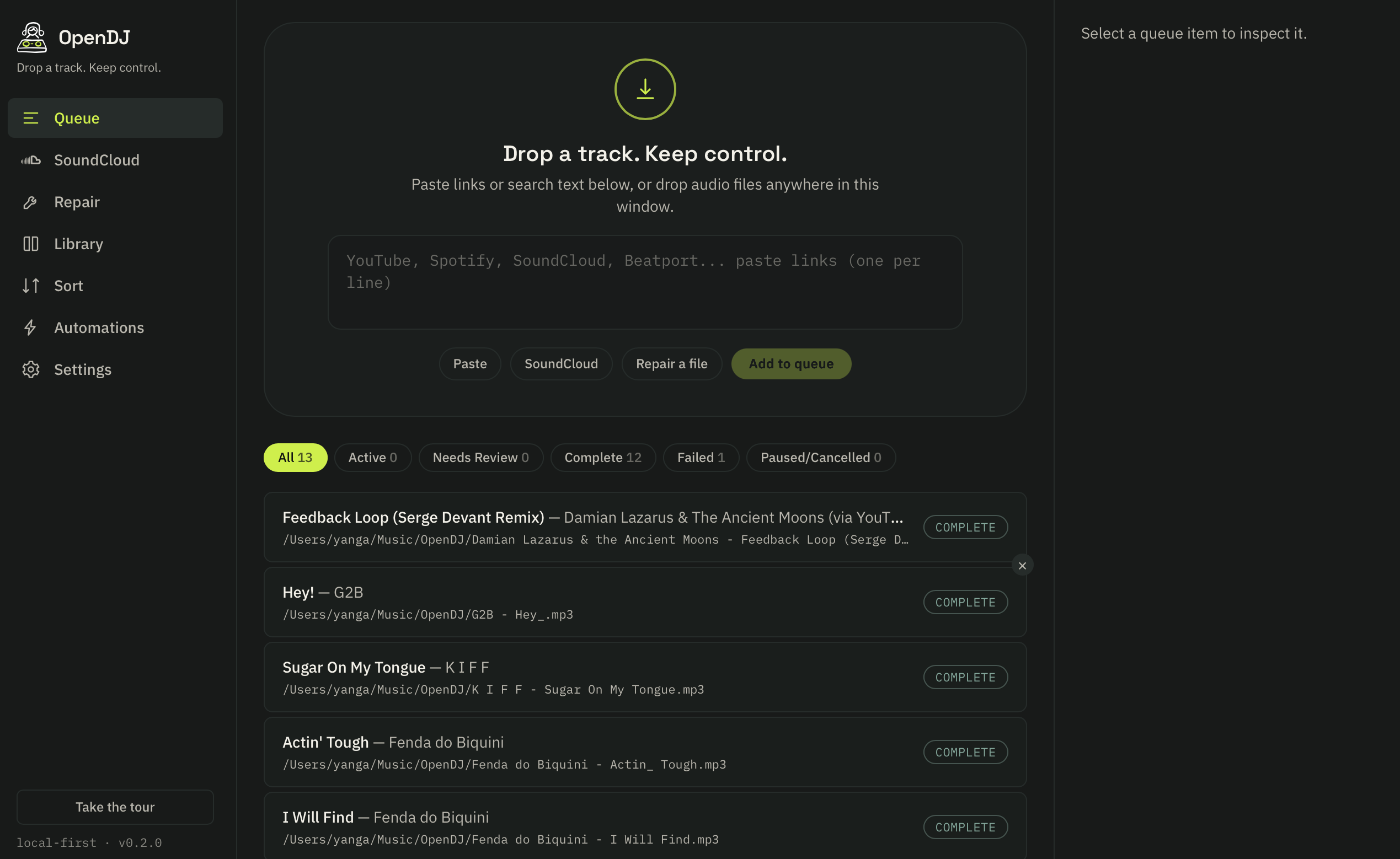
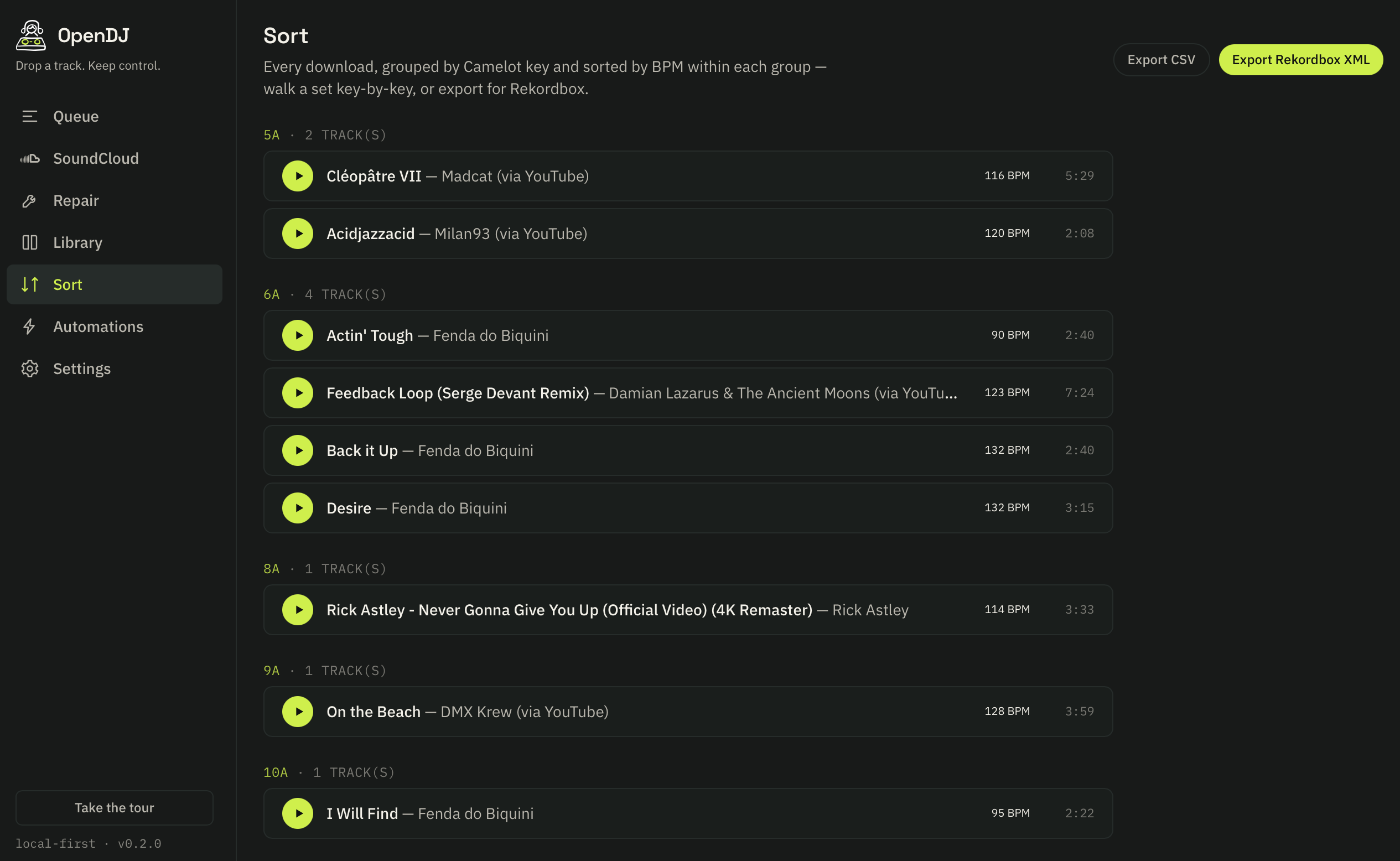
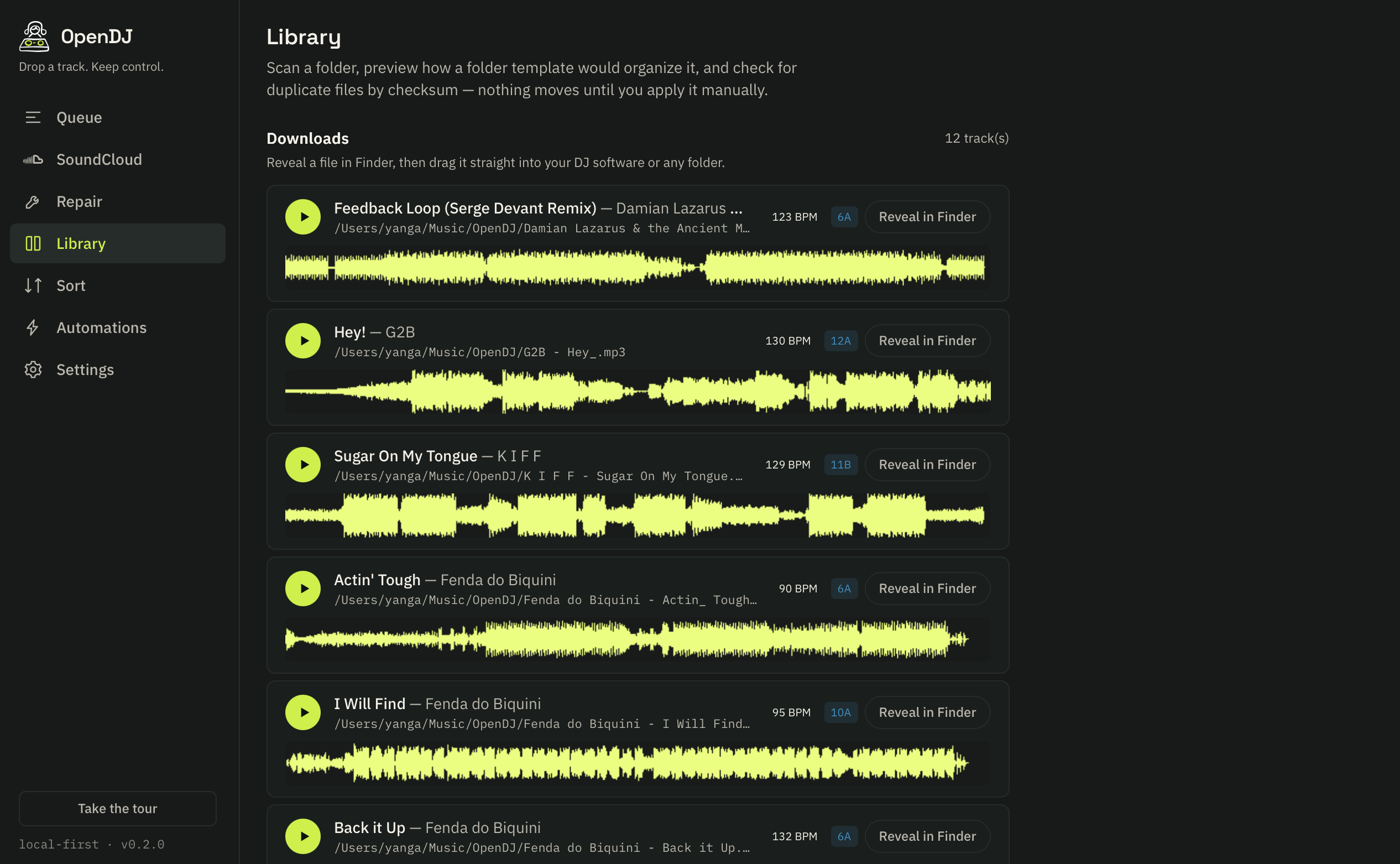
Queue — paste a link and watch it download, tag, and organize itself.
Roadmap
Coming soon
OpenDJ is actively developed. Here's what's next.
GPU-Accelerated Stems
Stem separation runs CPU-only today for zero-setup reliability on every machine. GPU acceleration (Metal, CUDA, DirectML) is next, for near-instant splits.
Live Community Feed
The Community tab refreshes on demand today. Real-time updates — new shares, upvotes, and replies appearing live — are next.
Custom Waveform Palettes
Pick your own low/mid/high colors for the waveform view instead of the built-in RGB, 3-Band, and Classic Blue presets.
Smart Playlists
Auto-updating smart playlists based on rules: BPM range, key, genre, date added, play count, and more.
Set Builder
Build DJ sets with harmonic mixing suggestions. Drag tracks into a timeline, see key compatibility at a glance.
Track Recommendations
AI-powered next-track suggestions based on BPM, key, energy, and your historical set patterns.
Mobile Companion
Browse and rate your library from your phone while away from the laptop. Sync ratings back when you reconnect.
Get started
Your music. Your machine.
Free and open source. No account required. Download, run, and start preparing your sets.
On macOS, skip the Gatekeeper “is damaged” dialog entirely — paste this into Terminal instead of using the button above:
Downloads and installs directly, bypassing the browser download path that triggers Gatekeeper on a non-notarized app. Prefer to do it by hand? one Terminal command fixes the dialog after using the button above.
Apple Silicon only. The macOS build requires an M-series Mac (2020 or later). It will not run on an Intel Mac — see why.